Fan Transition AI Video Prompt: 1 Photo, 4 Outfits in Google Flow
 Manish
October 8, 2026
14 min read
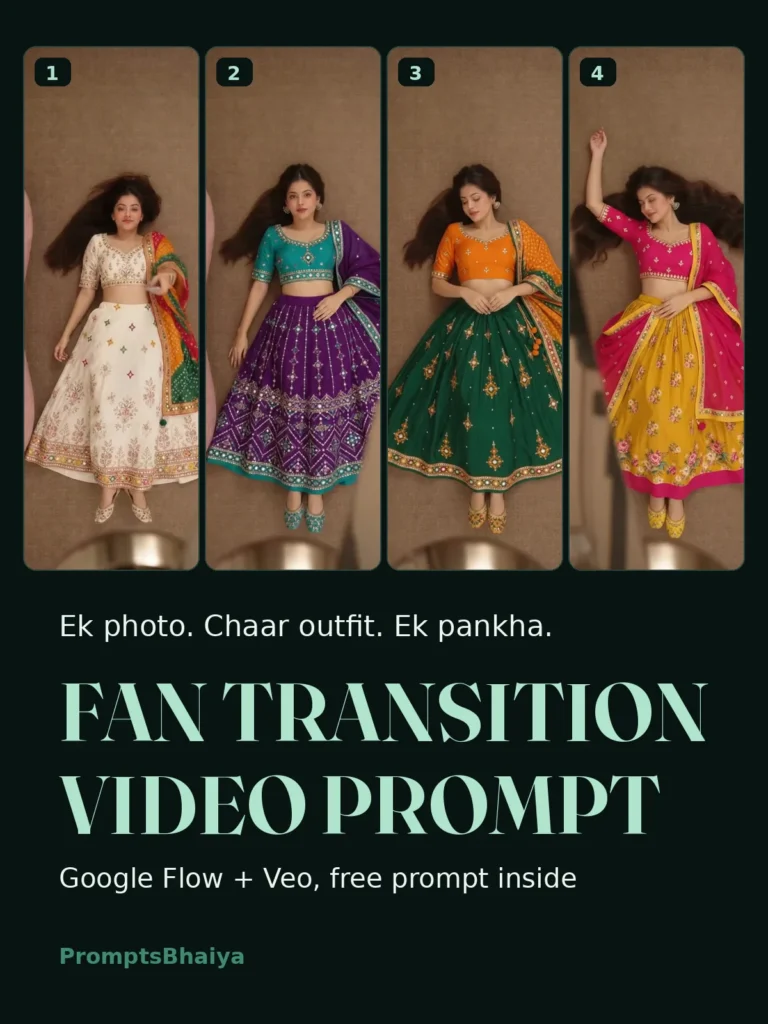
Fan transition AI video prompt for Google Flow. One photo, 4 outfit changes with Veo. Women’s and men’s copy paste prompts, fix lines included. Free.
Fan Transition AI Video Prompt for Google Flow: 1 Photo, 4 Outfit Changes (Viral Reel 2026)
You have seen the reel. A girl lies back on the carpet, points a remote at a giant fan, and every time the blades sweep across the screen her whole outfit changes. Four lehengas in ten seconds, no cuts, no camera shake, one continuous shot. The comments are always the same: prompt do, prompt please, kaise banaya.
Here is the part nobody tells you. This is one of the hardest AI video trends to pull off. A simple “change my outfit when the fan passes” prompt fails in three ugly ways: the clothes melt mid-air in open view, the fan turns into a transparent ghost halfway through, or your face quietly becomes someone else by outfit three. I broke the reference video down frame by frame, timed the actual blade passes, and built two master prompts around the physics that make this transition work in Google Flow. Copy, upload, generate.
And the timing is no accident. Navratri starts 11 October. Four chaniya cholis in one reel, you do the math.
Key Takeaways
- This trend runs in Google Flow with Veo: you upload a reference video, one photo of yourself, and four outfit photos, then paste one prompt.
- The RENAME TRICK below is what makes the prompt copy-paste ready: name your files me.jpg, outfit1 to outfit4.jpg and reference.mp4 before uploading, and the prompt needs zero editing.
- The covered-region rule inside the prompt is what stops outfits from melting in open view: clothes change ONLY while the solid fan blade hides them.
- Generate 2 to 3 takes and keep the best one. Veo varies per run, and that is normal, not a prompt failure.
What This Trend Actually Is
One fixed overhead camera. You, lying on the carpet next to a sofa. A big pedestal fan sweeps across the frame three times, and behind every pass you are wearing the next outfit. Four complete looks, three transitions, ten seconds.
It works because it stacks two things reels reward most: a transformation (outfit change) and a loop (the last frame flows back into the first on repeat). Fashion pages, boutique owners and creators are all running it, and during Navratri week the lehenga version of this reel is going to be everywhere.
What You Need: 6 Files and the Rename Trick
Before opening Flow, get these ready:
- One clear portrait of yourself. Front-facing, good light, face fully visible. This controls your identity in the video.
- Four outfit photos. One complete outfit per photo. Flatlays work best: the full garment laid out with its dupatta, accessories and footwear visible, nothing cropped out, plain background.
- The reference video. The fan transition clip embedded in this post. Download it and keep it.
Now the trick that makes everything below copy-paste simple. Rename your files to exactly these names before uploading:
- me.jpg
- outfit1.jpg, outfit2.jpg, outfit3.jpg, outfit4.jpg
- reference.mp4
The prompts below call the files by these names. Rename once, and you never have to edit a single word inside the prompt. Outfit order is also sorted automatically: outfit1 appears first, outfit4 is your finale look, so put your strongest outfit at number 4.
How to Generate It in Google Flow (5 Steps)
- Open Google Flow at labs.google/flow and start a new project with the latest Veo model.
- Upload all six files into the same generation: reference.mp4, me.jpg and the four outfit photos.
- Copy the full prompt below, women’s or men’s, and paste it as one single block. Do not split it or trim it.
- Set 9:16 vertical and the highest quality your plan allows, then generate.
- Make 2 to 3 takes. Veo gives different results each run. Keep the take where the fan stays solid and all three changes land, and delete the rest.
If your Flow plan caps clips at 8 seconds, change “10-second” in the first line to “8-second” and the three reveal timings to 2.5, 4.5 and 6.5 seconds. Nothing else changes.
Why Most Fan Prompts Fail (and the 3 Rules That Fix It)
I tested the lazy version of this prompt so you do not have to. Three failures repeat every time, and each one has a rule in our prompt that blocks it.
Failure 1: the outfit melts in open view. The AI changes clothes with a dissolve while you are fully visible, which looks like a glitch, not a transition. The fix is the covered-region rule: clothing ahead of the blade stays unchanged, a region switches ONLY while the solid blade hides it, and the first frame behind the trailing edge already shows the complete next outfit. The fan does the magic, not a crossfade.
Failure 2: the ghost fan. Halfway through, the blades go transparent or the whole fan drifts across the room like smoke. The fix is the fan physics block: one anchored hub, rigid connected blades, constant geometry and rotation, fully opaque with a metallic centre. The fan is a physical object, and the prompt refuses to let it become an effect.
Failure 3: identity drift. By outfit three the face is 80% you, and by outfit four it is a stranger in your clothes. The fix is the same face lock we use in every PromptsBhaiya photo prompt, pointed at me.jpg, plus a line telling the model to ignore the background and clothing of your portrait completely.
These three rules are the difference between this post’s prompt and the “fan transition prompt” being forwarded on WhatsApp. Now the prompts.
Reference Reel Download
The Women’s Master Prompt (Copy This)
Edit the attached reference.mp4 into a 10-second vertical 9:16 photorealistic fashion film.

FILE ROLES: reference.mp4 is the motion and composition master. me.jpg is the identity reference. outfit1.jpg, outfit2.jpg, outfit3.jpg and outfit4.jpg are the four wardrobe looks, worn in exactly that order.

SCENE AND CAMERA, from the reference video: keep its fixed overhead top-down camera, the pink curved sofa at the left edge, the plain brown carpet, the opening roll from the sofa onto the floor, the remote gesture, the body orientation with head toward the top of frame, and the fan's hub position, blade shape, rotation direction and sweeping path. Follow the same movement sequence and compress pauses so everything fits 10 seconds. Keep the action continuous in one unbroken shot.

IDENTITY LOCK: replace the person in the reference with the ONE woman in me.jpg. Use me.jpg ONLY for her face, skin tone, hair and body proportions. Keep her face 100% identical to me.jpg in every frame: same features, same skin tone, no beautifying. Ignore the background and the clothing in me.jpg completely.

WARDROBE: she wears exactly FOUR complete outfits, in order: the full outfit shown in outfit1.jpg, then outfit2.jpg, then outfit3.jpg, then outfit4.jpg. Reproduce each outfit exactly as photographed: same garments, colours, embroidery, dupatta and footwear, worn naturally on her body with real fabric weight and gravity. Never show the flatlay background, never mix pieces from two outfits in one look.

FAN TRANSITIONS: exactly THREE outfit changes, each using the same opaque fan-blade wipe as the reference. The rule: clothing ahead of the approaching blade stays completely unchanged. A clothing region changes ONLY while it is fully hidden behind the solid blade. The very first frame visible behind the blade's trailing edge already shows the complete next outfit. No uncovered area ever changes. Apply identical wipe mechanics for outfit1 to outfit2, outfit2 to outfit3, and outfit3 to outfit4, with reveals landing near 3.4, 5.6 and 7.8 seconds, timed to actual blade coverage. Hold outfit4 clearly visible until the end.

FAN PHYSICS: the fan is one continuous solid foreground object: a fixed anchored hub, rigid connected blades, constant geometry, constant rotation plane and the same rotation direction as the reference. Blades stay fully opaque with a visible metallic centre and slight motion blur only at the blade edges. The fan never turns transparent, never drifts, never reverses, never disappears mid-pass.

BANS: no clothing morphs or dissolves, no flashes, no mixed outfits, no extra people, no standing up, no camera movement, no anatomy changes, no added text, no usernames, no logos or watermarks, including any watermark visible in the reference video.
The Men’s Master Prompt (Copy This)
Bhai log, same mechanics, male identity, plus one line that saves your izzat: the kediyu rule. Without it, the AI loves turning a flared kediyu into a full-length skirt.
Edit the attached reference.mp4 into a 10-second vertical 9:16 photorealistic fashion film.

FILE ROLES: reference.mp4 is the motion and composition master. me.jpg is the identity reference. outfit1.jpg, outfit2.jpg, outfit3.jpg and outfit4.jpg are the four wardrobe looks, worn in exactly that order.

SCENE AND CAMERA, from the reference video: keep its fixed overhead top-down camera, the pink curved sofa at the left edge, the plain brown carpet, the opening roll from the sofa onto the floor, the remote gesture, the body orientation with head toward the top of frame, and the fan's hub position, blade shape, rotation direction and sweeping path. Follow the same movement sequence and compress pauses so everything fits 10 seconds. Keep the action continuous in one unbroken shot.

IDENTITY LOCK: replace the person in the reference with the ONE man in me.jpg. Use me.jpg ONLY for his face, hair, beard, skin tone and body proportions. Keep his face 100% identical to me.jpg in every frame: same features, same skin tone, no beautifying. Ignore the background and the clothing in me.jpg completely. Do not carry over the female actor or any female clothing from the reference video.

WARDROBE: he wears exactly FOUR complete men's outfits, in order: the full outfit shown in outfit1.jpg, then outfit2.jpg, then outfit3.jpg, then outfit4.jpg. Reproduce each outfit exactly as photographed: same garments, colours, embroidery, accessories, headwear and footwear, worn naturally with real fabric weight. A flared kediyu or kurta ends over the trousers; it is never a full-length skirt. Any turban, scarf or dupatta belongs to its own outfit only. Never show the flatlay background, never mix pieces from two outfits.

FAN TRANSITIONS: exactly THREE outfit changes, each using the same opaque fan-blade wipe as the reference. The rule: clothing ahead of the approaching blade stays completely unchanged. A clothing region changes ONLY while it is fully hidden behind the solid blade. The very first frame visible behind the blade's trailing edge already shows the complete next outfit, headwear and accessories included. No uncovered area ever changes. Apply identical wipe mechanics for outfit1 to outfit2, outfit2 to outfit3, and outfit3 to outfit4, with reveals landing near 3.4, 5.6 and 7.8 seconds, timed to actual blade coverage. Hold outfit4 clearly visible until the end.

FAN PHYSICS: the fan is one continuous solid foreground object: a fixed anchored hub, rigid connected blades, constant geometry, constant rotation plane and the same rotation direction as the reference. Blades stay fully opaque with a visible metallic centre and slight motion blur only at the blade edges. The fan never turns transparent, never drifts, never reverses, never disappears mid-pass.

BANS: no clothing morphs or dissolves, no flashes, no mixed outfits, no extra people, no standing up, no camera movement, no anatomy changes, no added text, no usernames, no logos or watermarks, including any watermark visible in the reference video.
Make It Yours: 3 Versions Worth Running
The Navratri 9-colour reel. This is the one to post this week. Pick four chaniya cholis in the festival’s day-wise colours and your fan reel doubles as colour-of-the-day content. The full colour list with dates and matching looks is in our Navratri 9 colours day-wise prompts.
The saree edition. Swap the four flatlays for four sarees. Everything in the prompt stays the same, because the prompt reads your photos, not a fixed outfit list. Wedding-season version sorted.
The brand edition. Boutique or kurti brand chala rahe ho? Put four pieces from your own catalog as the outfits. One reel, four products, and the fan does your lookbook for free.
When a Take Goes Wrong: 5 Fix Lines
Veo has moods. When a specific failure repeats across takes, strengthen the prompt and regenerate:
- Fan turned ghostly or transparent: move the whole FAN PHYSICS block to the top of the prompt and run again.
- Outfit changed in open view, fan was nowhere near: add one line inside FAN TRANSITIONS: “If a region is not covered by the blade, it keeps the current outfit with zero change.”
- Two outfits mixed into one look: add “outfit2.jpg is worn complete and alone, no piece from outfit1.jpg remains.”
- Face drifting from your photo: add “me.jpg face match is the highest priority instruction in this prompt” as the first line.
- Only two transitions fit: add “compress the sofa roll into the first 1.5 seconds so all three fan passes fit.”
Outfit Photo Tips (This Is Half the Result)
The prompt is only as good as the four photos you feed it. Four rules:
- One complete outfit per photo. Blouse, skirt or trousers, dupatta, footwear, all in the same frame.
- Flatlay or hanger shot on a plain background. The AI separates garment from background much more cleanly.
- No humans in the outfit photos. A model wearing the outfit confuses the identity lock.
- Shoot straight-on in good light. Shadows on the garment become shadows in the video.
And one for the final video: Veo’s own audio is throwaway. Mute it in the editor and put a trending audio on top before posting. The reel loops better with a beat that hits near each fan pass.
FAQs
Is Google Flow free to use?
Flow comes with Google’s AI plans and runs on monthly credits, and the limits change from plan to plan, so check the Flow page for what your account includes. What matters for budgeting: a video generation costs far more credits than a photo, and this trend wants 2 to 3 takes. Test your first run on the faster, cheaper model quality, then spend the good credits on the final take.
Why does my result look different from the reference every time?
Because video models are not copy machines. Veo re-imagines the scene within your rules on every run, so blade timing shifts and poses vary slightly between takes. That is exactly why the prompt pins the things that must not vary (face, outfits, fan physics, covered-region rule) and why you generate 2 to 3 takes and keep the best.
Can I change the sofa, the carpet or the room?
Yes, but change it in the prompt, not in your head. Swap “pink curved sofa” and “plain brown carpet” in the SCENE AND CAMERA block for what you want, like a grey sofa and a cream rug. Keep the overhead camera and the fan mechanics untouched, because they are what make the transition work.
My Flow only makes 8-second clips. Problem?
No problem. Change “10-second” to “8-second” in the prompt’s first line and the reveal timings to 2.5, 4.5 and 6.5 seconds. Three transitions still fit, the pauses just compress.
Can I use any viral reel as my reference video?
Technically Flow will accept it, but do not build your content on someone’s face or watermarked clip. Use the clean reference from this post, your own previous generation, or a clip you have rights to. The BANS line already stops the output from copying any watermark the reference carries, and your identity photo replaces the person, but start clean anyway. Your page, your name on it.
One Fan, Four Looks, Zero Photographer
That is the whole system: six renamed files, one pasted prompt, two or three takes, and the hardest transition trend on Instagram is sitting in your gallery. Run the Navratri colours version this week while the festival carries it, and keep the brand edition in your pocket for client work.
More viral video prompts are landing in Trends all month, and if you want the throwback version of a transformation, the 1980s retro AI photo prompts do it in photo form. Ab pankha chalao, reel banao.

Manish
I'm Manish Sain, the Bhaiya behind PromptsBhaiya. I spend most of my day inside Gemini and ChatGPT testing AI photo prompts, so you don't waste your generations on prompts that never work. Every single prompt on this site is tested on real photos before it gets published. When a new trend blows up on Instagram, my job is simple: crack the prompt, fix its flaws, and give it to you for free.